









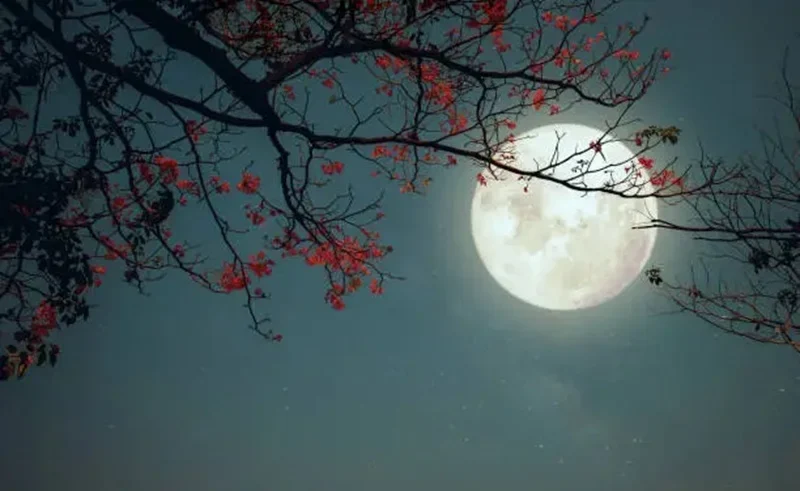
Taking a clear, sharp picture of the moon’s surface may seem like a job for an expensive DSLR camera. But with the right technique, it’s easy to learn how to photograph a full moon with your everyday cell phone. Be it stargazing along the coasts of Palawan or viewing from a high-rise balcony in Manila, mastering the smartphone Pro Mode moon settings will help you capture craters without glowing white glares. So, here is your step-by-step guide in taking the full moon image in the Philippines with stunning definition and clarity.
Why Default Camera Modes Fail for Moon Shots
In Auto or Night Mode, the camera tries to brighten the whole scene when you use the camera and point it at the night sky. The surrounding sky is completely dark, so your camera will over-expose the bright moon, and return it as a blank white spot.
You need to use manual controls to capture the great detail of the lunar maria (dark plains) and craters. Manual controls enable you to set exposure and focus values precisely.
Key Smartphone Pro Mode Moon Settings for Sharp Shots
Switch from the Camera app to Pro Mode or Manual Mode before taking a shot. Modify these settings to enable professional level lunar photography:
1. ISO (Sensitivity)
Use the lowest ISO possible – preferably between 50 and 100. At a high ISO the surface of the moon is washed out by digital noise and grain, while at low ISO it remains crisp and clear.
2. Shutter Speed
The moon reflects direct sunlight and it moves faster through the sky than it looks. Use a shutter speed of 1/125s to 1/500s. Fast shutter avoids motion blur and overexposure.
3. Manual Focus (MF)
Dark lighting often poses a challenge for autofocus. Move to Manual Focus and focus the image by moving your focus control close to infinity ($\infty$) until the outline of the moon is clear.
4. White Balance (WB)
Use Daylight (5500K) or Cloudy (6000K) White Balance setting to preserve natural lunar tones. Do not use auto white balance to avoid unnatural colour shifts.
Recommended Pro Mode Baseline:
- ISO: 50 – 100
- Shutter Speed: 1/250s
- Focus: Manual (Infinity)
- Format: RAW or Max Resolution JPEG
Discover more smartphone tips.
Which Samsung Phones Stand Out?
Check out the latest flagship releases.
Which Budget Phones Are Worth It?
Find affordable smartphones with great value.
Can Your Phone Check Temperature?
Explore Google’s latest smart feature.
Why Is Xiaomi 13 Ultra Popular?
See what makes this phone special.
How Can You Schedule Texts?
Learn the easiest messaging tricks.
Essential Gear and Viewing Tips in the Philippines
To maximize image detail when you photograph the full moon in the Philippines, preparation is essential.
- Tripod Stability: Even the smallest hand tremors will cause a telephoto picture to be blurry. Place the phone firmly on a sturdy tripod and time with count of 2.
- Don’t use Digital Zoom Artifacts: Use the optical telephoto lens (3x, 5x, 10x) of your phone. Beware of extreme digital zoom as this will lead to poor image quality. The high-resolution image can be cropped in post processing.
- Refer to Local Astronomical Schedules: Refer to the official DOST-PAGASA Astronomical Diary to know exact moonrise times and sky forecast in Luzon, Visayas and Mindanao.
- Lunar Photography Guide: See the NASA Lunar Photography Guide for basic exposure and lunar lighting physics.
FAQs
Can I capture the full moon using an iPhone?
Yes. While iPhones lack a built-in “Pro Mode” in the native camera app, you can lower the exposure slider manually or use third-party camera apps like Halide or ProCamera to control shutter speed and ISO directly.
Why does my moon photo look like a blurry white light?
This happens when your camera’s automatic meter overexposes the shot. Lowering your exposure bias or manually quickening the shutter speed in Pro Mode resolves this issue instantly.
Should I shoot in RAW format for night sky photography?
Shooting in RAW preserves uncompressed image data, making it significantly easier to tweak contrast, shadow details, and sharpness during editing apps like Adobe Lightroom Mobile.