






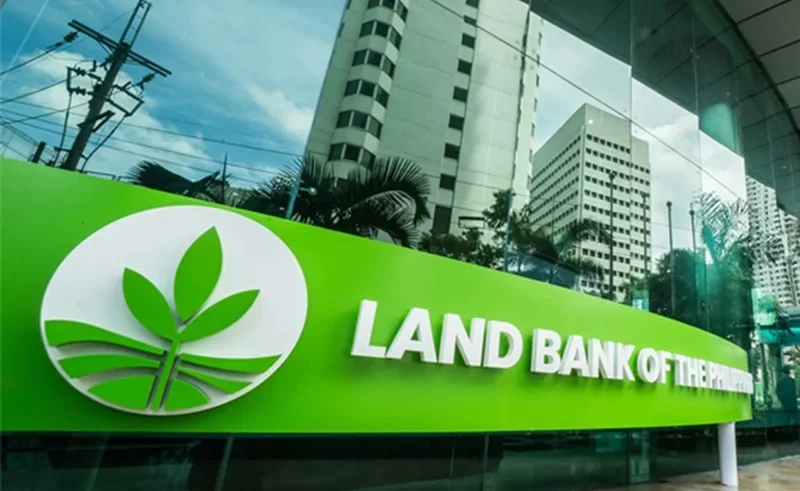
A new program at Land Bank of the Philippines has made payment of government fees more affordable. From June 1 until the end of the year 2026, Filipinos can officially enjoy zero convenience fee for certain payments from person to government (P2G) via the QRPh-enabled channels.
This comes as part of the Government’s UPLIFT initiative, aimed to increase accessibility of public services and promote digital transactions. If you’re a citizen or a business person, who pays your taxes to the government repeatedly online, then this can save you lots of cash all year round.
Which Government Payments are eligible for this Zero-Fee Program?
The fee waiver is for business transferring in LandBank’s QRPh system and is applicable for a variety of government services.
The following payments are eligible: real property taxes, business permit renewals, police clearances, apostille certificate fees, water district bills, state university tuition fees or academic document processing fees. The benefit can be obtained from various national government agencies, local government units, water districts and state universities and colleges.
The waiver only applies to QRPh as the payment method, however. Standard or convenience charges may still apply to other payment sources.
Method 1: Pay Through LandBank Link.BizPortal
It’s really so simple to get on the zero-fee scheme, and that is through the LandBank Link.BizPortal.
Visit the official Link.Go to the BizPortal website and search the government agency, local government unit or institution you are paying. Choose the right merchant and transaction type from the options offered.
Then fill in all the billing details, like your reference number, payment value, contact information, etc. and your email address. Please review all information, double-check before anything.
On the payment screen select payment method QRPh and not payment with debit card, credit card or any other electronic payment system. You will then get a unique QR code displayed on-screen.
Open your preferred banking app or e-wallet, and scan the QR code, then check that there is no convenience fee (if it’s in the mPesa app) and confirm the payment. Upon completion you will receive a digital confirmation as well as an e-mail receipt.
Method 2: Government Online Portals for payment.
Numerous government departments and local governments have implemented LandBank’s payment gateway on their websites.
To begin, log in to the official website of the agency or local government. Create a bill assessment, statement of account or payment order.
At the checkout stage, please go for LANDBANK LINK. Credit card via BizPortal or QRPh (if applicable) There will be QR codes for payment.
Use any QRPh enabled banking application or e-wallet and contain the payment without having to pay any extra convenience fee.
Method 3: Use QRPh Standees at Government Offices
Payment using physical QRPh standees is also available at citizens’ sight at municipal halls, government service centres, or universities, where the payments will not cost anything.
Find the QRPh standee at the cashier/ payment counter. Using the mobile banking application, scan the QR code shown above.
Only input the quantity given to you by the cashier, and check one last time to make sure there is no convenience fee attached. Keep a digital receipt after payment to keep track of. This is a significant program for a variety of reasons.
The program will not only improve the living expenses of Filipinos who need to save money but also lessen the waiting time at government offices as well. Eliminating the need to carry cash, digital payments enable transactions to be done quickly from the phone.
Waived fees can make a difference for businesses renewing permits and for individuals making multiple payments to the government during the year, while expanding the adoption of payments that strengthen the digital payment system.
Fresh buzz, big stories and screen moments await!
When Does Walter Boys Return Next?
Check out release updates, cast details and streaming information fast.
What’s New In Boys II Planet?
Discover first-look poster details and fan reactions around the reveal.
How Did Boys Over Flowers Win?
Uncover the record-breaking achievement behind the iconic manga success.
Will Racket Boys Season Return Soon?
Look into expected release details, cast news and future updates.
Why Is Singapore Mourning Today?
Explore the emotional story behind the heartbreaking community loss.
Why Does This Program Matters?
Click on the transaction confirmation page and take notes or screenshot that confirm it, following each successful transaction, and also retain the confirmation email that is provided by the system.
These digital records will be proof of payment and are beneficial if you ever need to check a transaction with the agency in the future.
FAQs
What are the dates of the LandBank “No Fees” loan program?
The program runs from June 1, 2026 to December 31, 2026.
Which payments qualify to be waived?
The waiver applies to qualified QRPh payments for government services like taxes, permits and water, tuition, and specific processing charges at agency locations.
Is QR payments done on GCash or Maya possible?
Yes. The QR code can be scanned and payment can be made by any QRPh-compliant banking app/e-wallet available.